Facebook Ads agency · Instagram AdsYour stall, at the busiest market.

They didn’t come for your product, but they leave with it. Facebook and Instagram ads show it to people who would buy it if they saw it.

Meta Business Partner
The market: bear shoppers stop at the candle stall while Mircea calls them over
New order · €40example
3.43bndaily active users
200m+businesses active on Meta
01 · What it is

Facebook and Instagram ads for eCommerce

Facebook Ads are your ads on Facebook, Instagram, Messenger and Reels. You show them to the people you choose, not only to those who already follow you. The same ad appears in several places, and Meta takes it where it sells more cheaply.

Mircea holding the phone with your ad
What do you sell? Choose, and the drawings on the page show your product.
FacebookSponsoredSponsoredBuySponsoredInstagramMarketplaceMessengerSponsoredPartner appAd
The same ad · 7 places · blue = your ad
  1. 01Facebook feedBetween friends’ and pages’ posts, with a photo or video.
  2. 02StoriesFull screen, between people’s stories, on Facebook and Instagram.
  3. 03ReelsShort vertical video, between clips, on Facebook and Instagram.
  4. 04Instagram: feed and ExploreIn the photo feed and on the page where people discover new things.
  5. 05MarketplaceAmong the for-sale listings on Facebook, where people are already in a buying mood.
  6. 06MessengerIn the list of conversations.
  7. 07Partner networkAudience Network: in the apps of other companies, Meta partners, from games to utilities.
Who chooses the placement?

With automatic placements (Advantage+), Meta picks, from all of them, the places where the ad sells most cheaply. We can also choose them by hand when needed.

Post or ad?

“We already post on Facebook.” Here is the difference.

3Sponsored
Page postsAds
Who sees themMostly people who already follow you, and not even all of them.New people, chosen by what interests them, plus those who visited your site.
How far they reachAs far as the algorithm takes them, for free. Usually not far.As far as the budget you choose, day after day.
What you measureLikes.How many sales and how much revenue each campaign brought in.
What it costsFree in money, expensive in time.You pay, but you see exactly what you get back.

Posts keep the page alive and build trust. Ads bring new customers and bring back those who left. You need both.

02 · When you need it

When do you need Facebook Ads?

In short: when the product has to be shown, not just found.

Mircea with a lit light bulb: the idea
01

The product is new or nobody is searching for it yet

On Google there is nothing to capture. On Facebook you create the demand: you show it to people who would buy it if they saw it.

02

The product sells from the image

People see it in a short video and want it, even if they were not looking for it.

03

You want new customers, from across the country

Not only those who already know you. Facebook and Instagram reach almost everyone who buys online.

04

You have visitors who leave without buying

You bring them back with ads made just for them. They have already shown they want it, so it is worth reminding them.

05

Google has hit its ceiling

When searches stop growing, Facebook brings new demand, which Google then captures more cheaply.

In short

Start small, grow when it works

A test with a small budget, then we scale. You can stop at any time, with 7 days’ notice.

Mircea holding a leaky bucket with water pouring out

When it does NOT fit

We tell you honestly when it isn’t worth it.

  • A budget under ~€20 a day per platform: we would be taking your money for nothing.
  • The site does not sell: there is no point pouring traffic into a leaky bucket. The store comes first.
  • The margin or average basket is too small to pay for the ads: we check this at the analysis.
  • Products restricted by Meta: we check before making any promise.
03 · Facebook or Google

Facebook or Google?

Facebook creates demand. Google captures the demand that already exists.

CANDLESCLOTHESFURNITURECOSMETICS Mircea pointing at your stall

Facebook and Instagram: the market stall

Shows the product to people who weren’t looking for it, but are exactly the type who would buy it.

FacebookInstagramReels

scented candlessummer dressupholstered armchairvitamin C serumYour store
Mircea searching on a laptop

Google: the phone book

Only people who are already looking for you find you. Google does not create demand, it captures it.

Google Search

It’s not either/or. It’s one system.

With us, all three links are with the same team: nobody has anyone else to blame.

FACEBOOKsparks interestGOOGLEcaptures itTHE SITEcashes it in

These are not two services bundled together, it is one system: every euro on Facebook makes the searches on Google cheaper, and vice versa.

04 · Funnel

How Facebook brings in customers

Not with a single ad, but along a path: from people who don’t know you to customers who come back. At each step we show them something different, because each expects something different.

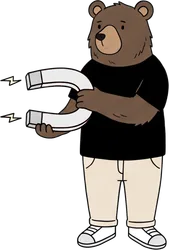
Mircea holding a magnet that attracts customers
Don't know youSaw youVisited the siteBoughtreturn
  1. 01They don’t know youPeople who have never heard of you. We show them a short video or a Reel, and Meta finds on its own who looks like your buyers, if it gets the right data from the store.
  2. 02They’ve seen youThey saw the ad but did not click. We show them the product again, from another angle: details, reviews, an offer.
  3. 03They visited the siteThey opened a product or left something in the basket. We show them exactly those products, straight from the catalogue. They have already shown they want it, so it is worth reminding them.
  4. 04They boughtEvery sale is tied to the ad that brought it. That is how we see what works and where to move the money next.
  5. ↺They returnYesterday’s customers get news and a reason for a second order. From them we build lookalike audiences, to find more people like them.
05 · Tracking

Tracking: how we know what sells

Until the numbers in the account match the sales in the store, we do not raise the budget. That is where we start with every client.

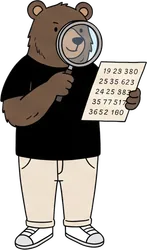
Mircea looking at the numbers with a magnifying glass
Your storeMeta1 salePixel · from browserConversions API · from serversame ID · counted once
Meta Pixel · browser

The code in the store sends what the visitor does. Part of it is lost: ad blockers, iPhone restrictions, refused cookies.

Conversions API · server

The store sends the same events straight from the server. The browser cannot stop them, so they arrive complete.

Counted once

Every event has an ID. It arrives by both routes with the same ID, and Meta keeps it only once.

A customer’s journey, over 5 days example

An example. Every step leaves a mark: that is how we know which ad brought the sale, and the algorithm learns from real buyers.

Sponsored
Day 1 · Instagram Sees a Reel and clicks. saw the product
candlesSponsoredSponsored
Day 3 · Google Searches for the product and visits again. came back
YOUR STOREYour product€10Add to basket
Day 4 · on site Adds the product to the basket and leaves. basket · €10
EmailYou forgot something in your basketThe product€10Complete
Day 4 · email Gets “You forgot something in your basket”. opened the email
EmailThanks, Ana!Leave a review-10% on 2nd order
Day 5 · buys Comes back from the email and buys for €20. sale · €20
Expert mode

What we do technically, in detail

For anyone who wants to know exactly what happens in the account. The rest of the page makes sense without it.

Open expert modeClose
01Tracking and measurement
  • Pixel + Conversions API (server-side)
  • Domain verification and Aggregated Events
  • GA4 and correct events
  • Unified attribution
02Strategy and audiences
  • ICP and messaging angles
  • Custom audiences from customers
  • Lookalike and broad for Advantage+
  • Anti-cannibalisation exclusions
03Creative and content
  • Concepts, hooks and scripts
  • UGC, Reels video and static
  • Variations for testing
  • Iteration on what performs
04Campaign structure
  • Advantage+ Shopping
  • Prospecting (broad and lookalike)
  • Funnel retargeting
  • CBO / ABO and budget rules
05Catalogue and DPA
  • Meta catalogue and product feed
  • Dynamic Product Ads
  • Abandoned basket retargeting
  • Sync with the store
06Reporting and optimisation
  • Live dashboard (ROAS, CAC, AOV)
  • Weekly optimisation
  • Continuous creative testing
  • Monthly review with a scaling plan
The events we track
MOMENTULMETAGOOGLE
Landed on the sitePageViewpage_view
Viewed a productViewContentview_item
Added it to the basketAddToCartadd_to_cart
Started checkoutInitiateCheckoutbegin_checkout
Entered card detailsAddPaymentInfoadd_payment_info
PurchasedPurchasepurchase
What data we send through the Conversions API
  • Email and phonehashed (SHA-256) before sending; the phone number with the country prefix (40…), otherwise it will not match
  • Name, city, county, postcodehashed (SHA-256) before sending; helps Meta recognise the person
  • Customer ID from the storehashed (SHA-256) before sending; links the orders of the same person
  • fbc and fbpthe ad click ID and the Meta cookie from the store
  • Match quality (EMQ)the 0–10 score from Events Manager; we check it for every client

This is the data of your store’s customers, sent from your store; we set up the sending as data processors.

We work inside your Business Manager. The account, pixel, catalogue and data stay yours.

06 · Scaling

Meta Ads: from audit to scale.

We start with an audit and a test with a small budget. We raise the budget only on what brings sales, not on what looks good in a report.

Mircea filming with a video camera

Creative is the engine

We always test new angles and short video. Ads that look like posts win.

Mircea holding a growing plant

Start small, grow when it works

A test with a small budget, then we scale what brings sales. We raise the budget without crashing the result.

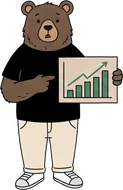
Mircea showing a rising chart

The report in the owner’s language

What was spent, what was sold, what comes next. Profit per campaign, not likes.

The first 45 days

Days 1–5Audit and strategyThe account, past creative, the market and margins. A written plan.
Days 5–9Pixel and CAPITracking tied to real sales.
Days 9–16CreativeConcepts, scripts, Reels, Stories and static.
Days 16–20LaunchTest budgets, watched daily.
Days 20–45OptimisationWe cut what tires, grow the winners.
OngoingScalingNew creative, new audiences, a monthly plan.

Nothing starts without your approval and a test with a small budget. You can stop at any time, with 7 days’ notice.

Questions

What you want to know first.

What minimum ad budget do I need?

It depends on the niche and the margin, but for Meta’s algorithm to exit the learning phase we usually start from a test budget that gathers data within 2–4 weeks. We give you a realistic threshold at the audit, without pushing you to burn money.

How do you measure correctly after iOS 14 and cookies?

Alongside the pixel, we also send events straight from the server (Conversions API) and verify the domain and the events. That way we recover the data the classic pixel loses.

I had an agency before and burned money.

We ask you what exactly happened. With us you see everything: the account is yours and nothing starts without your approval. We don’t ask for trust, we give you control.

My customers aren’t on Facebook.

Maybe not on the feed, but Instagram and Reels reach almost everyone who buys online. We check this at the analysis, for your niche.

Is my account at risk of being banned?

We work in line with Meta’s policies, with a verified domain, a properly configured Business Manager and compliant creative. And we know how to react quickly if anything comes up.

Do you also produce the creative (video, UGC, Reels)?

Yes: concepts, scripts, UGC, video for Reels and Stories, static, plus iteration on what works. On Meta, creative matters enormously.

How soon will I see results?

The first signals appear within 2–3 weeks, but a stable result is built over 60–90 days, as the algorithm learns and we test creative.

Do you work on my account? Who keeps it?

We work inside your Business Manager and your account. The account, the pixel, the catalogue and the data stay yours: you leave with everything, any time.

Free audit · 30 minutes

What Facebook ads cost and how we optimise them

Calculate your ROAS, tick what you recognise, then pick when we talk. We look at your account together.

Mircea ticking a day in the calendar

What you invest in Facebook, what you sell

YOUR ROAS example 4.0×

For every €1 you put into ads, you get back €4.00.

On an order of €40, the ad costs you €10 per order.

€40 is an example order, not your average. ROAS isn't profit: what's left depends on your margin.

Diagnostic · 60 seconds

Tick what you recognise and we'll tell you on the spot what we check.

We use your name, email and phone number to schedule and hold the free audit (Art. 6(1)(b) GDPR, at your request). Details and your rights: Privacy Policy. We keep them for 3 years from the last interaction.